Steam Inventory Helper Guide: How to Check Steam Inventory Value
SIH can be as simple or as advanced as you want. You can use it just to check your skin’s float and CS2 inventory value or go all the way to automated selling, trade confirmations, and deep analytics.
What you'll gain: Save time. Avoid scams. Sell skins faster. Increase your Steam level, and more.
This article will guide you through the main features of SIH from the basics to advanced tools for professional traders. If you are already a seasoned trader, feel free to go down to Section 2 and dive into the pro functions of SIH right away.
Part 1
Simple Features for Casual Players
If you play CS or other Steam games and just want to understand your items better, start here.
01 See float and item prices instantly
First of all, every CS skin has a float value, which represents a number between 0.00 and 1.00 that defines how worn the skin looks. In simple terms:
Float
What it means
0.00 – 0.07
Factory New
0.07 – 0.15
Minimal Wear
0.15 – 0.38
Field-Tested
0.38 – 0.45
Well-Worn
0.45 – 1.00
Battle-Scarred
The lower the float, the cleaner and more expensive the item is. Two identical skins can look the same but cost very differently based solely on the float value. That’s why float checking is one of the most important features in SIH.
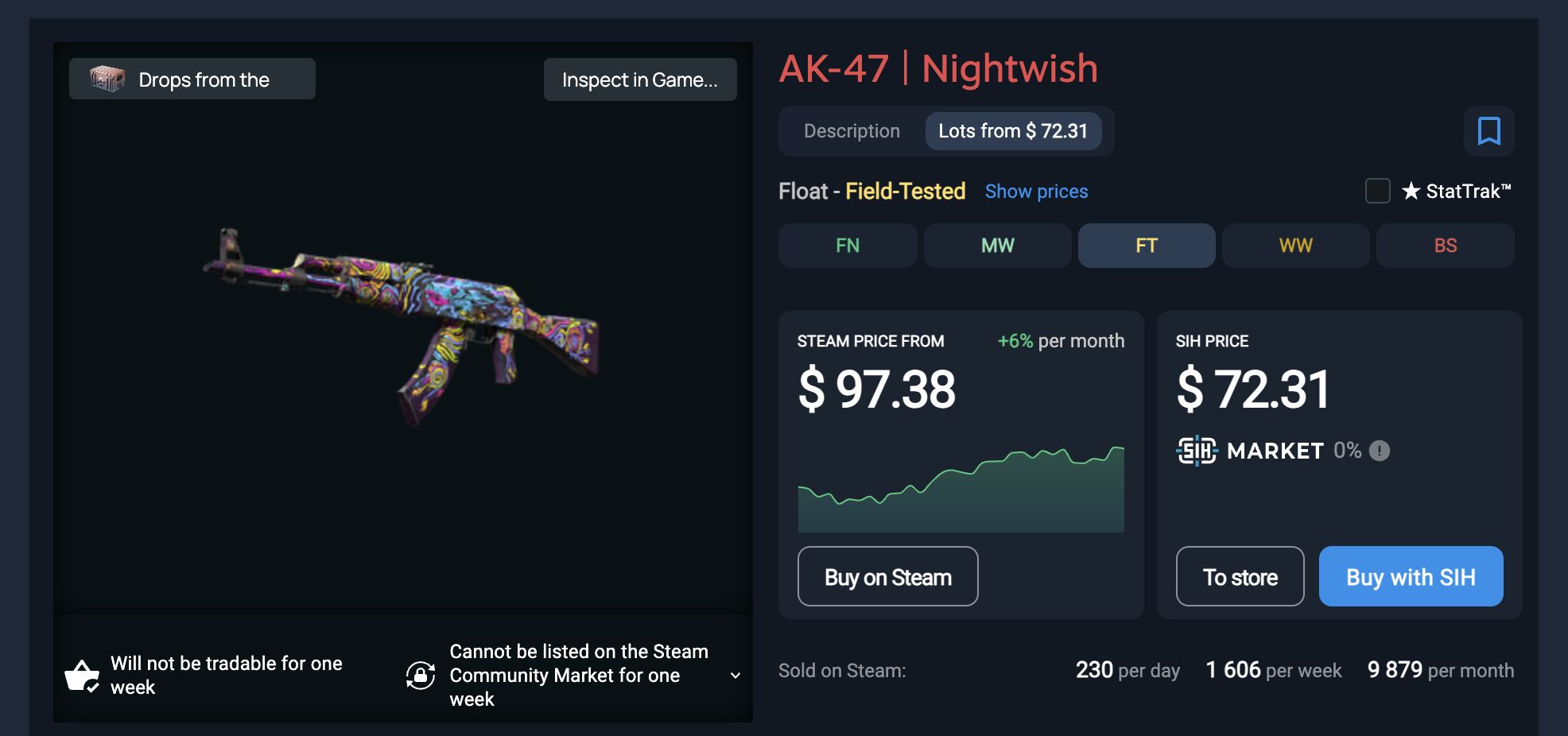
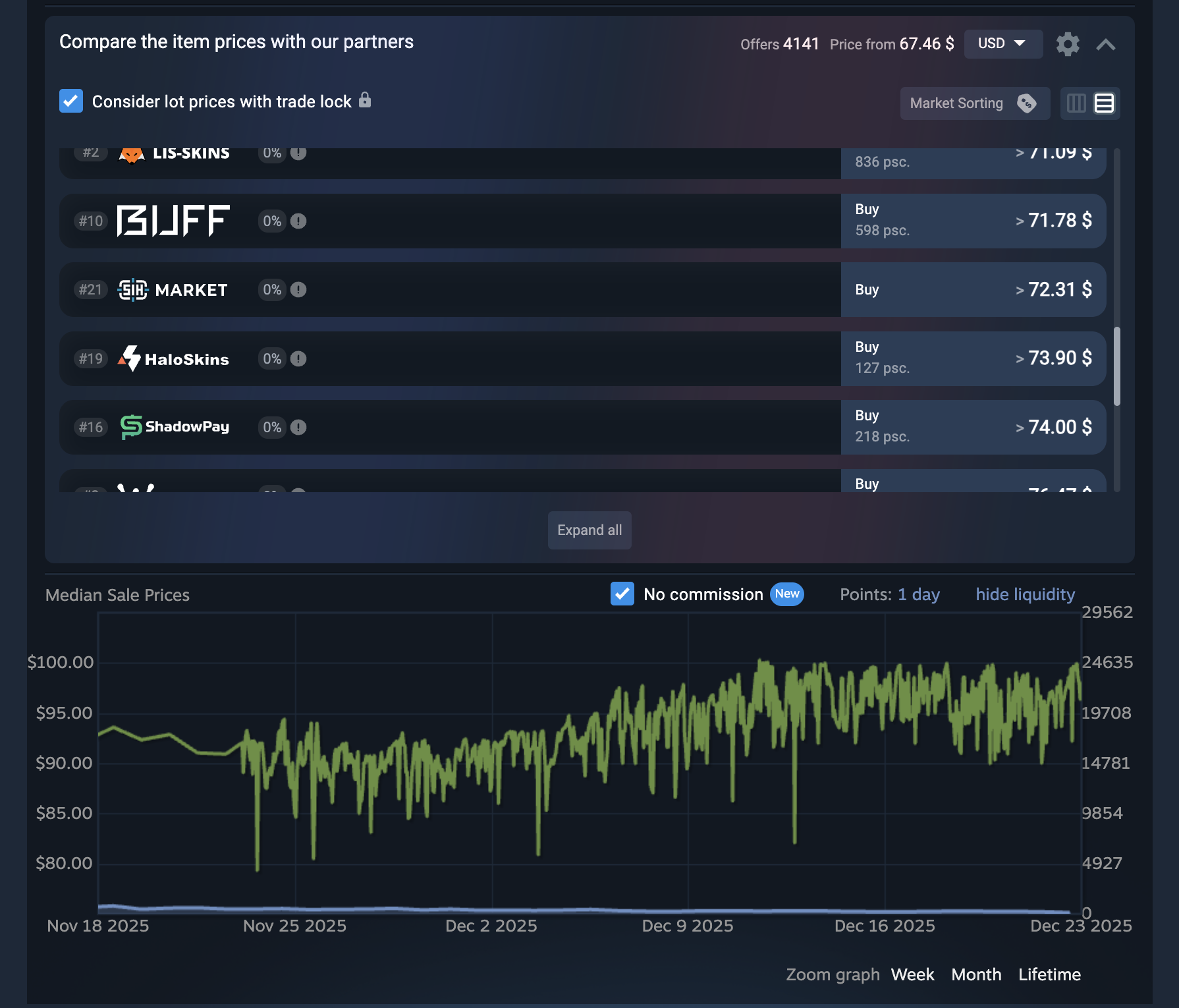
SIH adds extra info directly to Steam item pages. If you have the SIH extension enabled in your browser, then you don’t need to click anywhere else to see it. It is more than just a Steam float checker or a CS:GO skin price checker.
Here is what you get:
1
Float value of an item
2
Applied stickers and their prices
3
Restrictions on trading
4
Prices on global markets and the Steam market
5
Price changes and comparisons
6
What type of case an item might be obtained from
7
Additional offers
8
Liquidity of an item
How to use:
Just open any item in your inventory or on the market and you'll see all the info right away. That's it, no trading knowledge required.
Steam Inventory Helper extension is available for download from Chrome Web Store .
02 Total inventory value
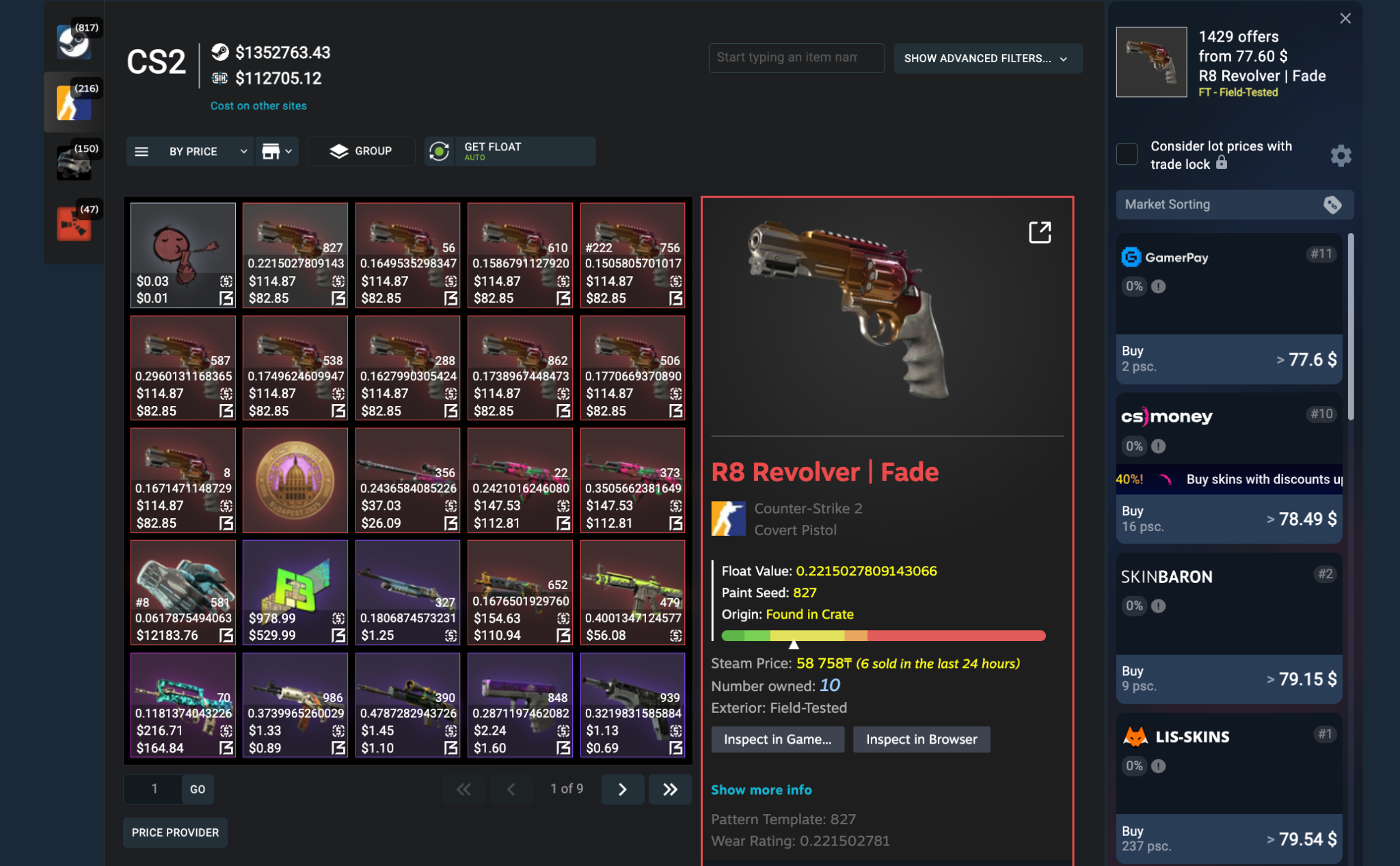
Curious about how much your Steam inventory is worth? The Steam Inventory Helper extension takes the guesswork out of it. By acting as a real-time calculator and price checker for your CS2 inventory, it instantly tallies the total market value of your skins and cards directly in your browser, acting as your everyday Steam inventory value checker. The value is calculated by item prices on various markets, not just the Steam Market.
If SIH is on, here is what you see:
1
Float values of your skins
2
The real price of your items on different marketplaces
3
How much your stickers and charms add to the item value
4
The total value of your whole inventory
5
Understand what can be sold, where, and at what cost
In simple words, SIH gives you the answers to bothering questions like what you actually own, how valuable it is and how much it costs on various markets. You can also sort your Steam inventory by price and see your most valuable items.
03 Total value of items in a trade
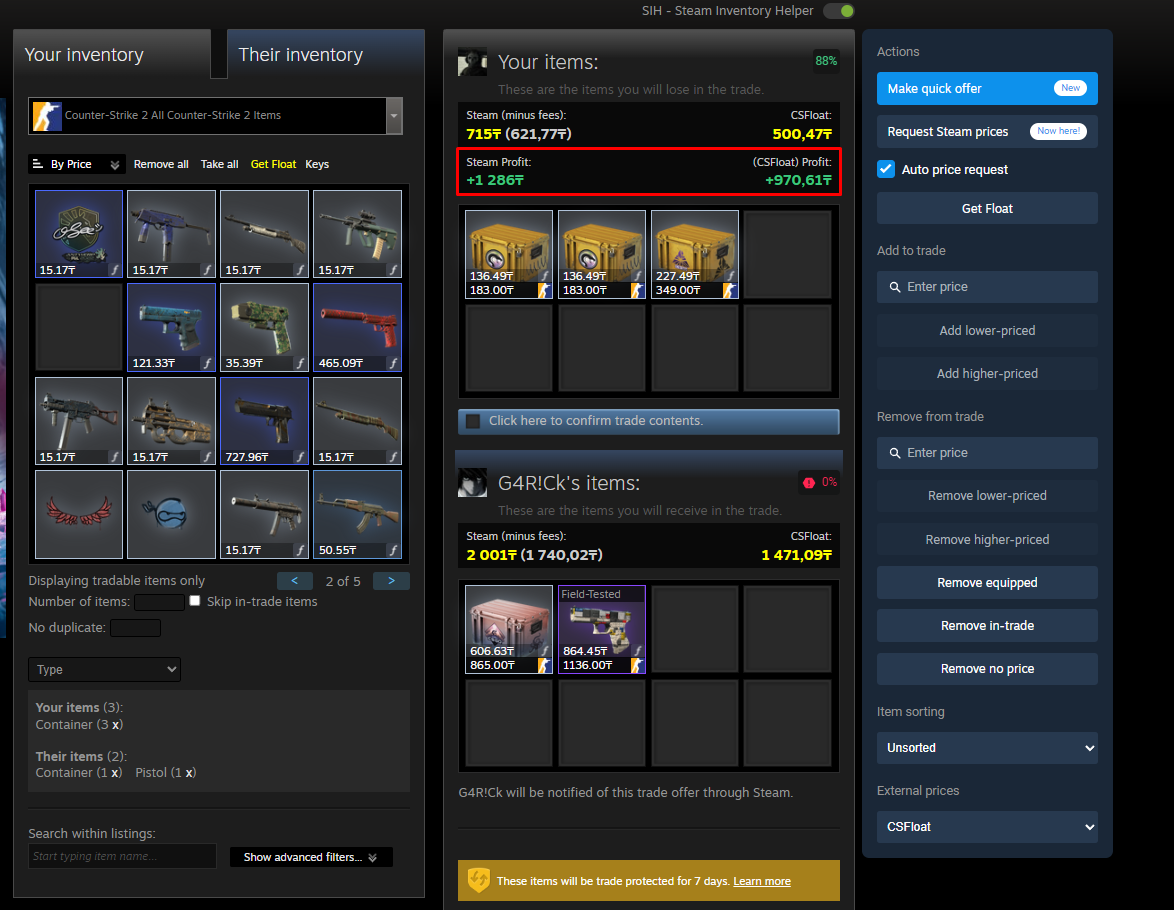
Don’t let the cool looks of the items offered for trade deceive you. SIH shows you the total value of the items in a trade calculated for each side. You can also see the expected profit of the trade, as well as item prices and stickers info. This way, you can choose only the truly profitable trades.
04 Sell items faster
Sometimes you wish to sell multiple items instantly. Here is how SIH Steam inventory extension helps you save time and effort:
1
Select multiple items directly in your inventory
2
List them for sale in bulk
3
Adjust prices in a couple of clicks
No trading bots. No scripts. Just an optimized Steam UI.
05 Easily filter Steam games by discount and region
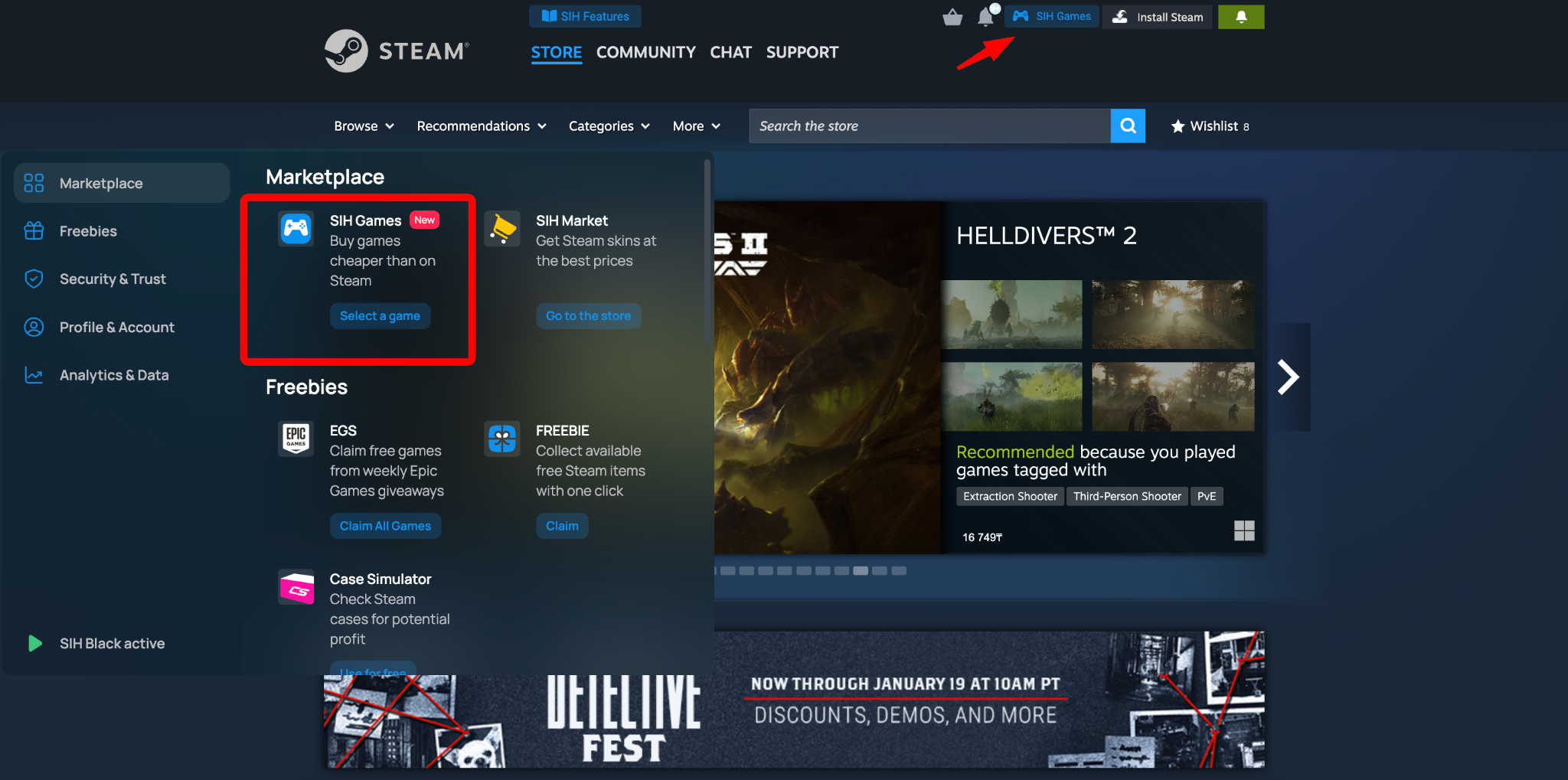
SIH Games is a unified Steam games catalog available within the SIH browser extension. With SIH Games, you can filter games by current discount amount and region. Also, you can activate the purchased games directly on your Steam account. Very handy to find the best deals and hidden gems.
06 Instantly increase your Steam level
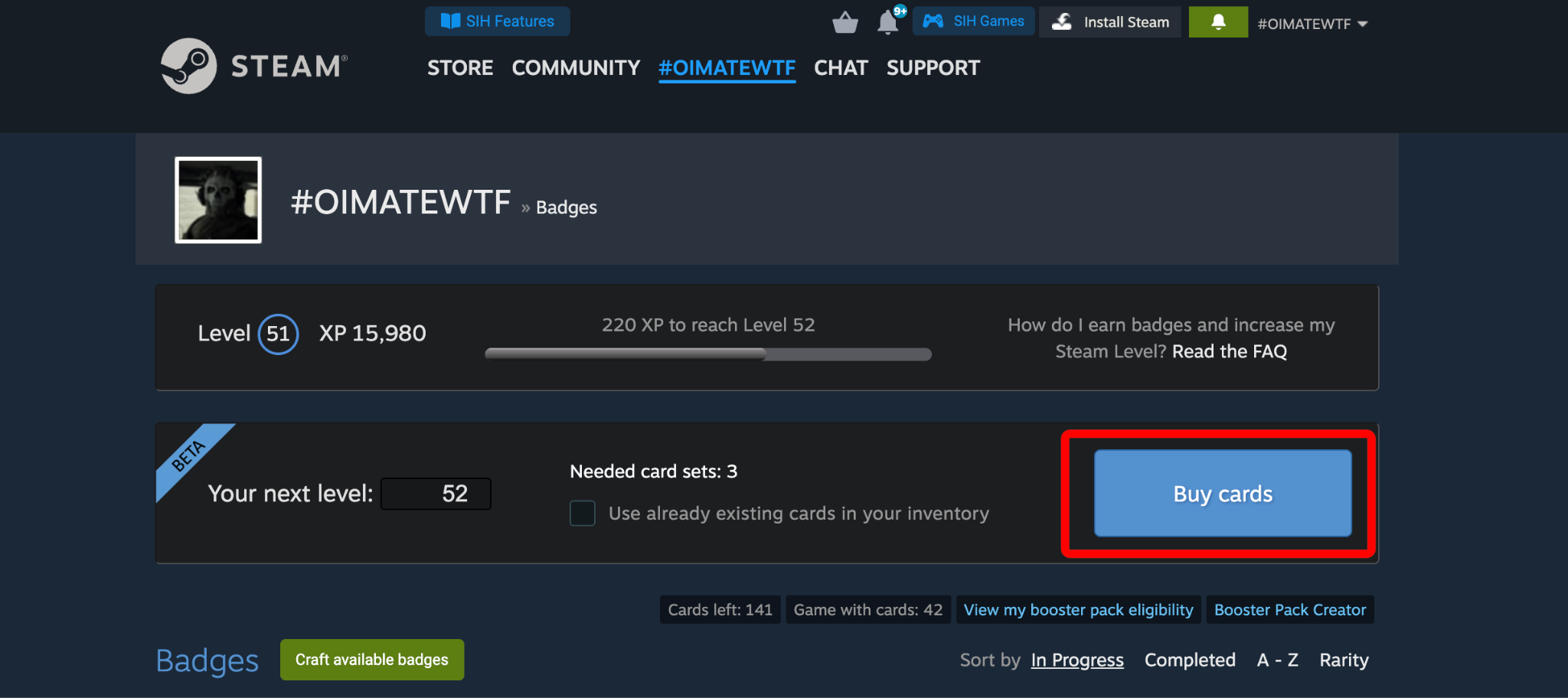
SIH gives you an opportunity to choose your target Steam level and automatically purchase the cards needed to reach it. With just one click, you can craft those cards and instantly receive the precise amount of XP required to hit your desired level.
Just go to the Badges page
And click Buy cards
Our system selects the cheapest available cards on our servers, taking into account the cards you already have in your inventory. Finally, no need to spend hours searching manually and no more fighting duplicates. One-click crafting makes the entire leveling process fast, smooth, and effortless.
07 Informative extension window
Steam Inventory Helper offers a highly informative extension window, where you can view at a glance the incoming trades, favorite items, currency exchange rates, and your wallet balance.
08 SIHRep to avoid scams
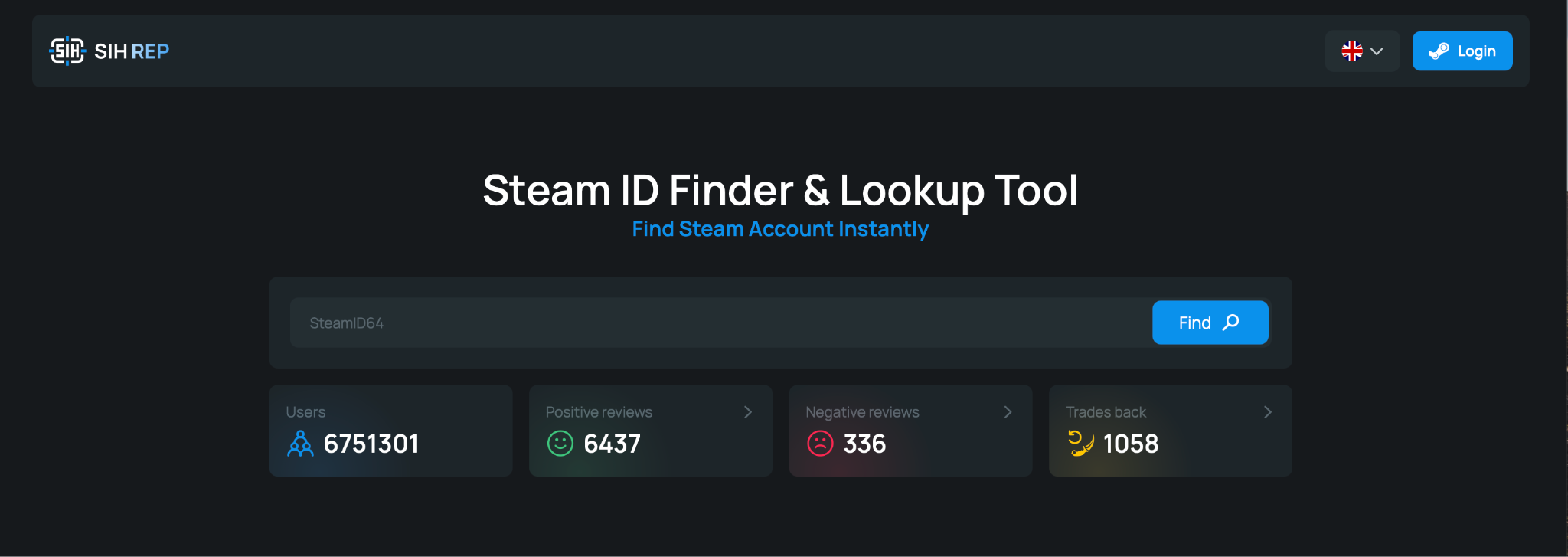
SIHRep is a handy reputation checker designed to help you quickly understand who you are dealing with before making a trade. Just paste a Steam ID of a user to see the community feedback and an overall trust score. It makes trading skins and items safer, easier, and way less stressful.
Part 2
PRO tools for traders and advanced users
Once you start trading Steam items more actively, SIH proves to be even more useful to you in terms of time, profit, and analytics.
09 Steam Desktop Authenticator (SDA)
A powerful tool for multi-account traders. SDA allows you to:
1
Add multiple Steam accounts and manage them in one place
2
Log in to Steam from any new device via Google
3
Automatically confirm trades, buy and sell orders
Especially useful if you trade often, use more than one Steam account, or just want faster confirmations.
10 Auto price & quick sell
With SIH Steam market extension, instead of listing items one by one, you can select multiple skins at once and sell them in bulk with automatic pricing settings. It works both with skins and to auto sell steam cards.Instead of listing items one by one, you can select multiple skins at once and sell them in bulk with automatic pricing settings.
Available pricing scenarios:
1
Lowering the price by the minimum possible amount. Depending on your currency, it can be 0.01 or 10 or 100 or even a larger step
2
Lowering the price by 1%
3
Setting a custom price
It is ideal if you have large inventories and want to instantly react to market changes to gain profit.
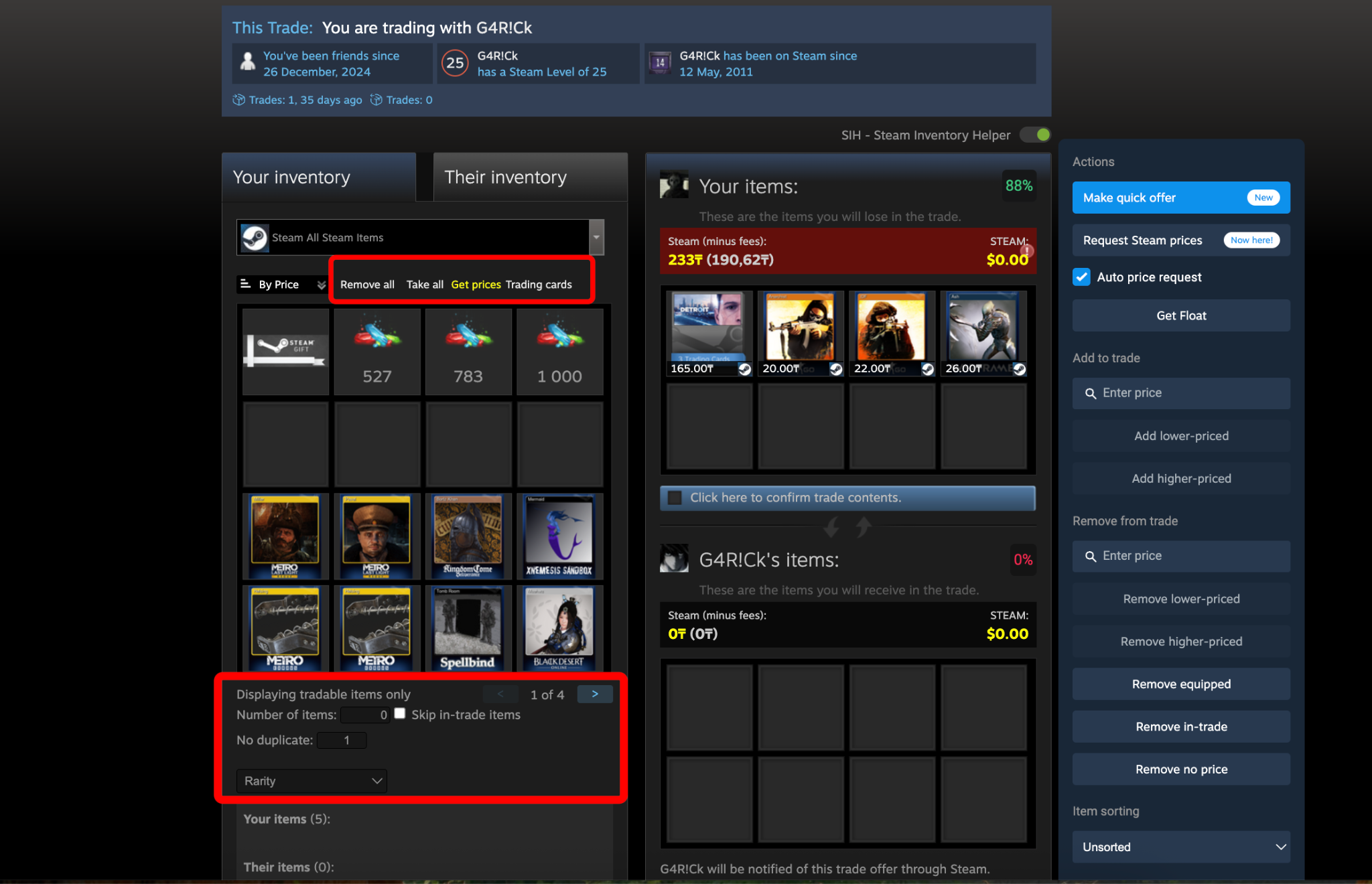
11 Bulk adding and filtering items in a trade
This feature lets you automatically add a number of skins to a trade window while setting clear rules. For example, making all items unique or allowing a specific number of duplicates. You get a full summary and total value of the selected items, calculated using prices from your chosen skin marketplace or Steam.
You can also quickly add or remove items based on custom conditions, such as price limits, currently equipped skins, or items already used in other trades. This makes bulk trade fast, accurate and effortless, while you become a more efficient Steam trader.
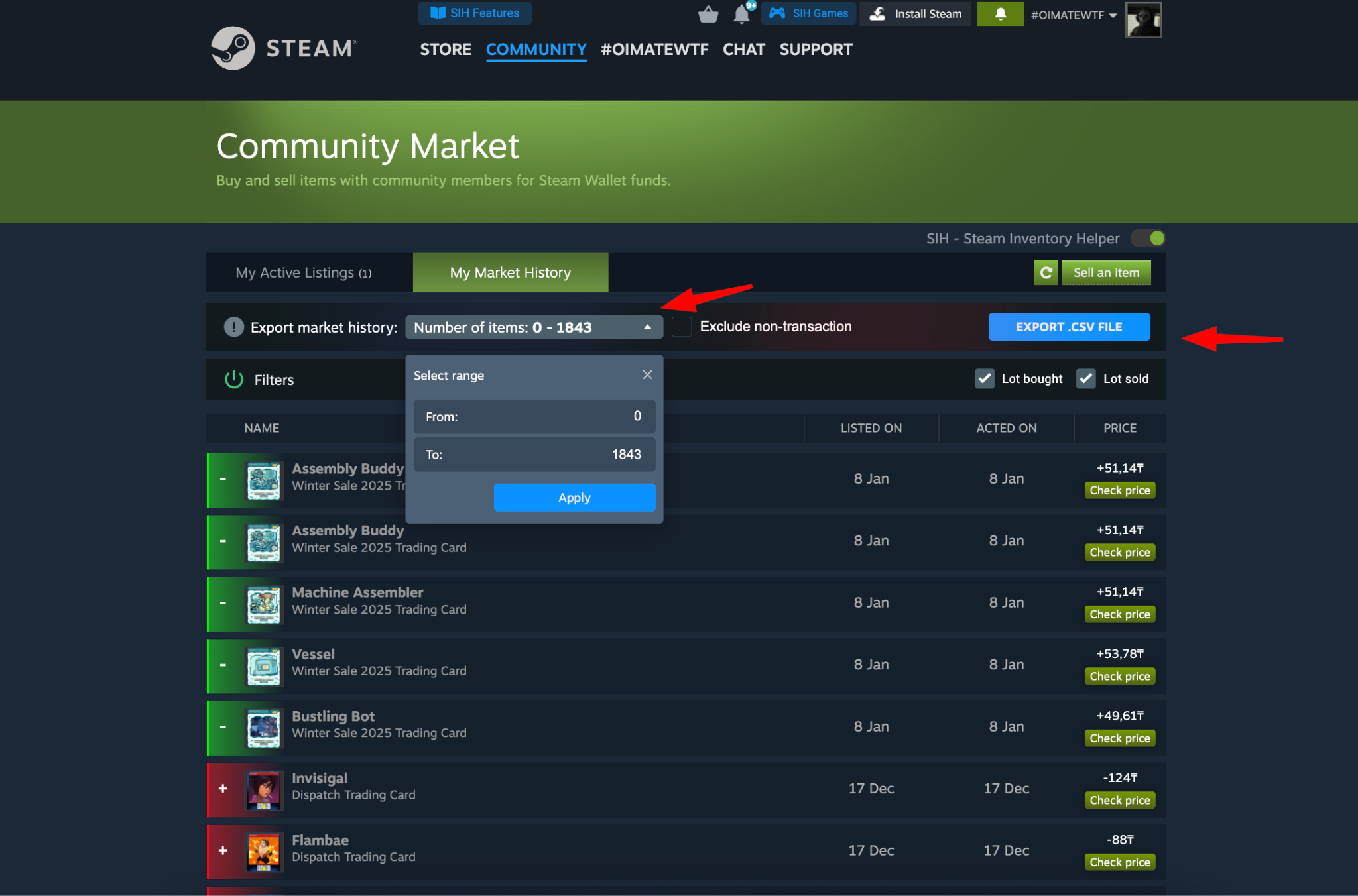
12 Export market history and analytics
SIH lets you export buy and sell history for further analytics.
Perfect for:
1
Tracking profit and loss without complex manual spreadsheets
2
Understanding trading patterns
3
Improving long-term results
SIH is a very flexible tool that can be used by casual gamers and seasoned traders alike. The functionality adapts to your needs and the level of your expertise. Start simple and utilise more features when you’re ready to grow.
Find your fellow gamers and traders and ask the squad for help in our Discord or feel free to contact our support via sihtechnic@gmail.com.
F.A.Q.
You're sending too many requests (often from mass float loading). Wait 5–10 mins and continue. If it doesn't help, try using a Proxy/VPN and a different account.
Disable VPN, Proxy, or conflicting browser extensions and reload the page.
Use Steam account recovery or your Steam R code to quickly restore access.